
Connect Bigplus straight to your Standard Bank card machine
Bigplus POS for Windows and Android connects directly to Standard Bank's A920 Pro and A35 card machines. The amount goes to the terminal, the result comes back, and there's no third-party connector in between.
 •
Integrations
•
29 October 2026
•
5 min read
- 55 inch smart TVR19,500.00
- SoundbarR7,000.00
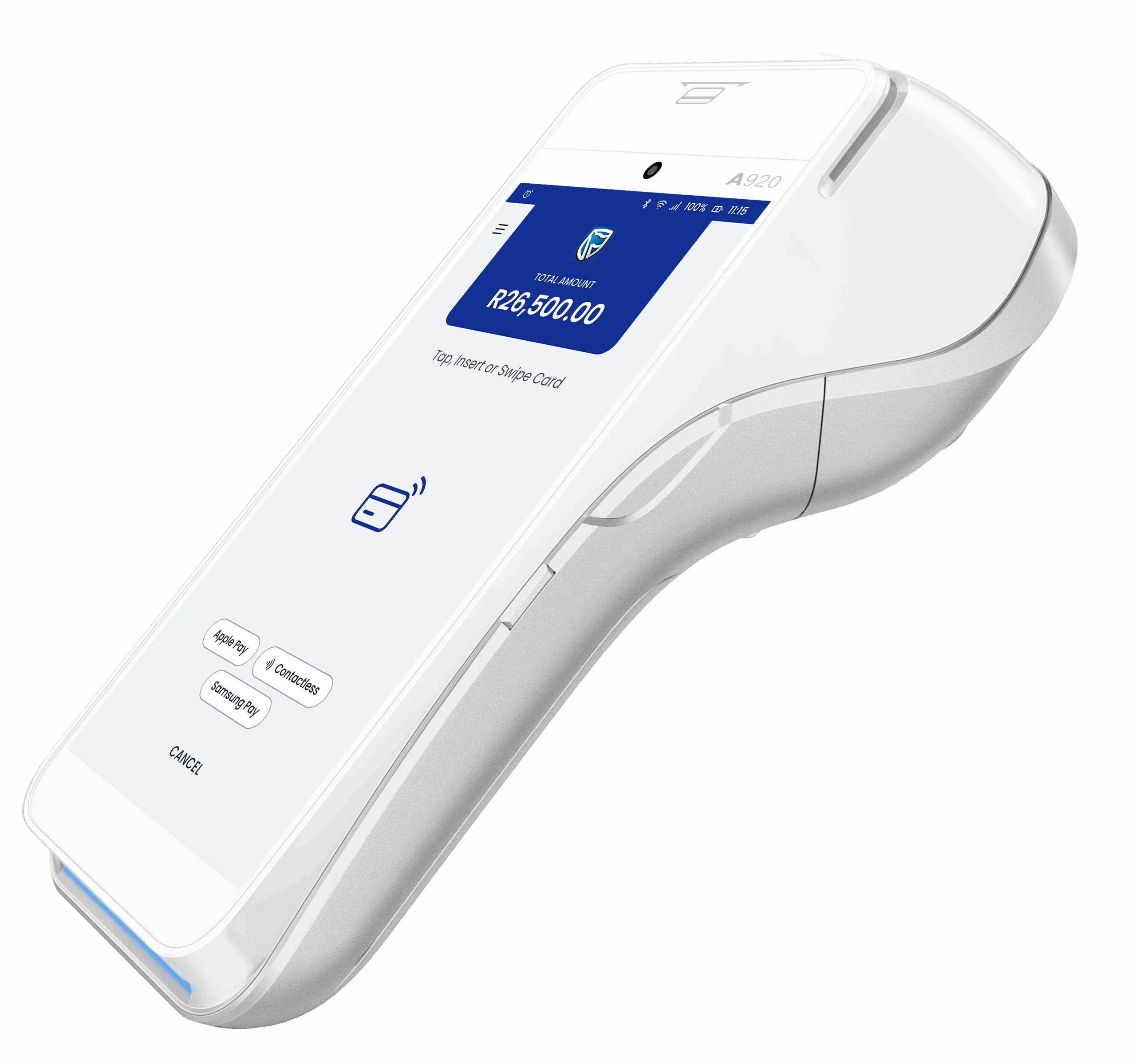 Standard Bank card machine
Your till and your card machine, talking directly
Plenty of South African retailers bank with Standard Bank and take cards on one of its card machines, the speedpoint at the end of the counter. For many of them, getting that terminal and the till to work together still means typing every amount in twice, or adding another system in between.
Bigplus POS for Windows and Bigplus POS for Android connect directly to Standard Bank's A920 Pro and A35 card machines. The till sends the amount to the terminal, the customer pays, and the result comes straight back to the sale. There's no third-party connector in the middle.
Bigplus runs the sale. The Standard Bank card machine takes the payment. Nothing sits between them.
Ring it up. Tap. Done.
Ring up the sale
Build the sale in Bigplus on your Windows till or Android device, exactly as you do today.
Choose card
Bigplus sends the amount straight to the Standard Bank A920 Pro or A35. Nobody types it in again.
The customer pays
The customer taps, inserts or swipes on the card machine, and Standard Bank processes the payment.
Done
The result comes back to Bigplus, the sale completes and the payment is recorded against it.
The A920 Pro and A35 don't run Bigplus. They're your Standard Bank card machines, connected to your Bigplus till. Standard Bank processes the payment, and Bigplus sends the amount and records the result.
Straight to the bank. No middleman.
No middleman
No third-party connector to sign up for, pay for or maintain.
Fewer moving parts
One less system between your till and your bank, so fewer things can go wrong at the counter.
No double entry
The amount goes to the terminal automatically, so there's nothing for a cashier to mistype.
Faster checkout
One tap on the till instead of keying the amount into a second device while the queue waits.
Cash-ups that add up
Every card payment is recorded against its sale, so card totals line up with the till at the end of the day.
Your bank, your terms
Your merchant agreement, rates and settlement stay with Standard Bank, exactly as they are now.
For a Standard Bank merchant, the result is a checkout with one less device to type into and one less system to manage. The sale starts in Bigplus, the card is taken on the bank's own terminal, and the two records agree when the day is done.
Pick the card machine that fits the till
Standard Bank offers two card machines that connect directly to Bigplus. One moves around the shop floor, the other stays put at the counter.
A920 Pro
Handheld smart terminal with a battery
- Screen5.5 inch touchscreen
- Receipt printerBuilt in
- Connects byWi-Fi, 4G, Bluetooth
Serving on the shop floor, queue busting, and counters with no room for a PIN pad.
A35
Countertop PIN pad facing the customer
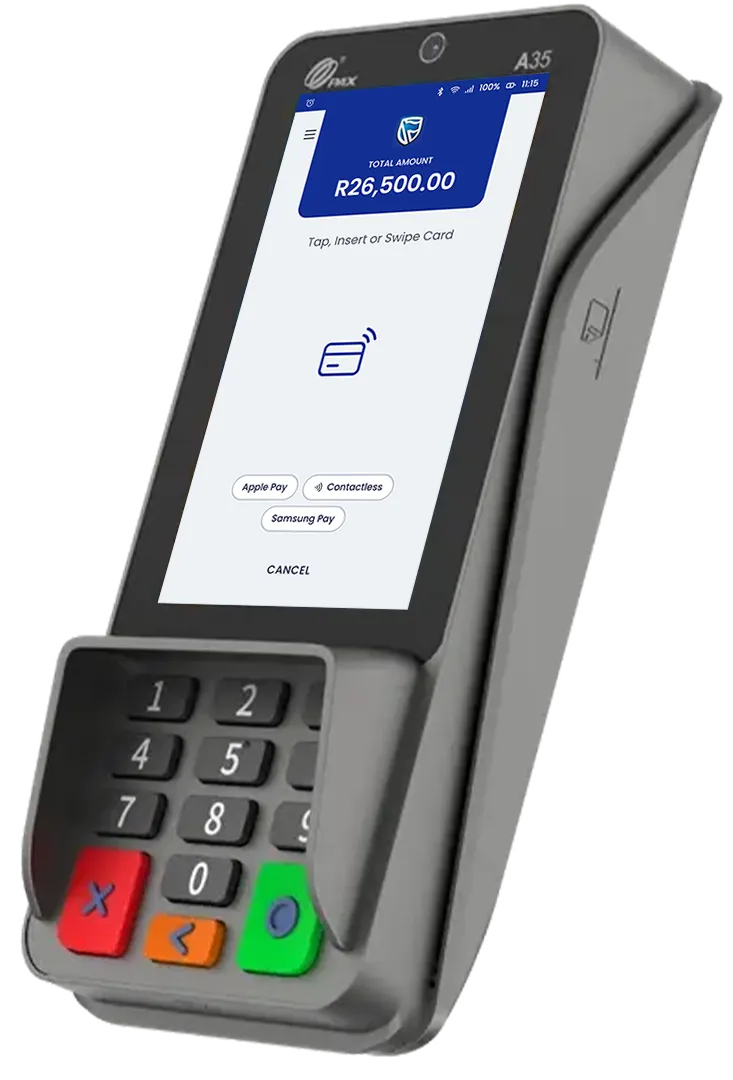
- Screen4 inch touchscreen
- Receipt printerNone
- Connects byEthernet, Wi-Fi, USB
Fixed tills where customers pay at the counter.
Both take chip and PIN, contactless and magnetic stripe cards. The card types and phone wallets each terminal accepts are set by Standard Bank.
Windows or Android. Your call.
Every pairing works: either Bigplus app with either card machine, so you can mix tills across your stores.
- Bigplus POS for Windows for countertop tills and all-in-one touchscreen kits.
- Bigplus POS for Android for tablets and mobile tills on the shop floor.
- One record. Card payments sit on the same sale as everything else in Bigplus, so real-time reporting and cash-ups stay in step.
Up and running, with us beside you
Switching on integrated card payments is something we do with you, not a manual we hand over. The Bigplus onboarding team is there from the first call to the first sale.
Book a demo
We look at your stores and tills and recommend an A920 Pro or A35 for each.
Get your card machine
Your A920 Pro or A35 comes from Standard Bank, under your merchant agreement.
We connect it
The Bigplus onboarding team pairs each terminal with its till and runs a test sale.
Start trading
Card payments go straight from Bigplus to the terminal, and back again.
No. Bigplus runs on your Windows PC or Android device. The Standard Bank card machine takes the payment and talks to Bigplus directly.
Not for Standard Bank's A920 Pro and A35. Bigplus connects to them directly, so there's no extra system or contract between your till and your bank.
The A920 Pro and the A35.
Bigplus POS for Windows and Bigplus POS for Android. Either app works with either card machine.
Yes. The card machines and card processing come from Standard Bank under your merchant agreement.
Standard Bank. Bigplus sends the amount to the card machine and records the result against the sale.
Cut out the middleman at checkout
Book a demo and watch a sale go from Bigplus to the Standard Bank card machine and back.